Document organization
AI Document Organizer for Invoices, Receipts, and Contracts
Sort working documents into categories or existing client folders. Keep their names, add descriptions, or request a filename structure for a particular document type.
- Custom category descriptions
- Existing client folders
- Separate naming and sorting settings

The app suggests names and folders. It does not validate payments, signatures, or a document’s legal status.
Use categories that match your work
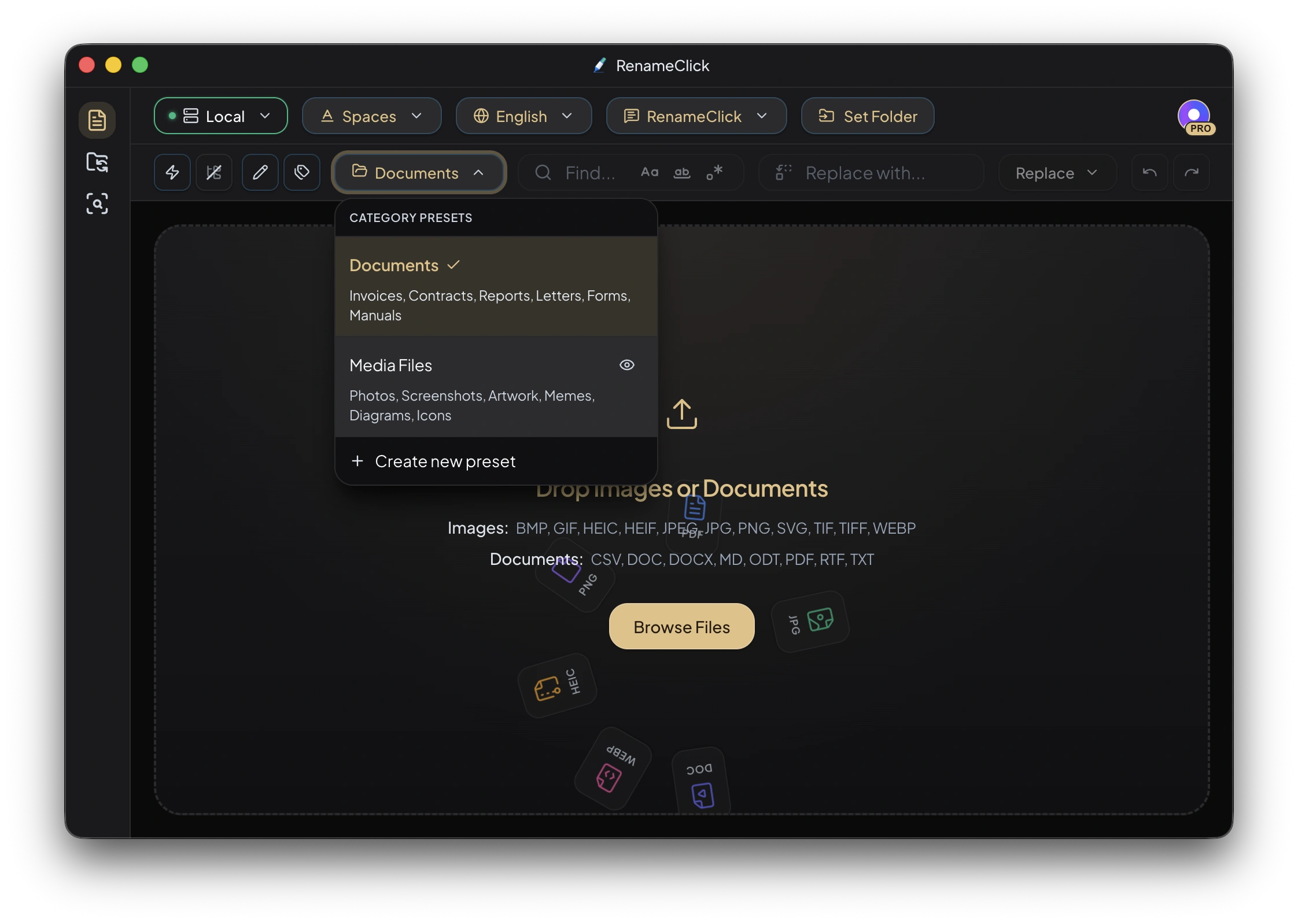
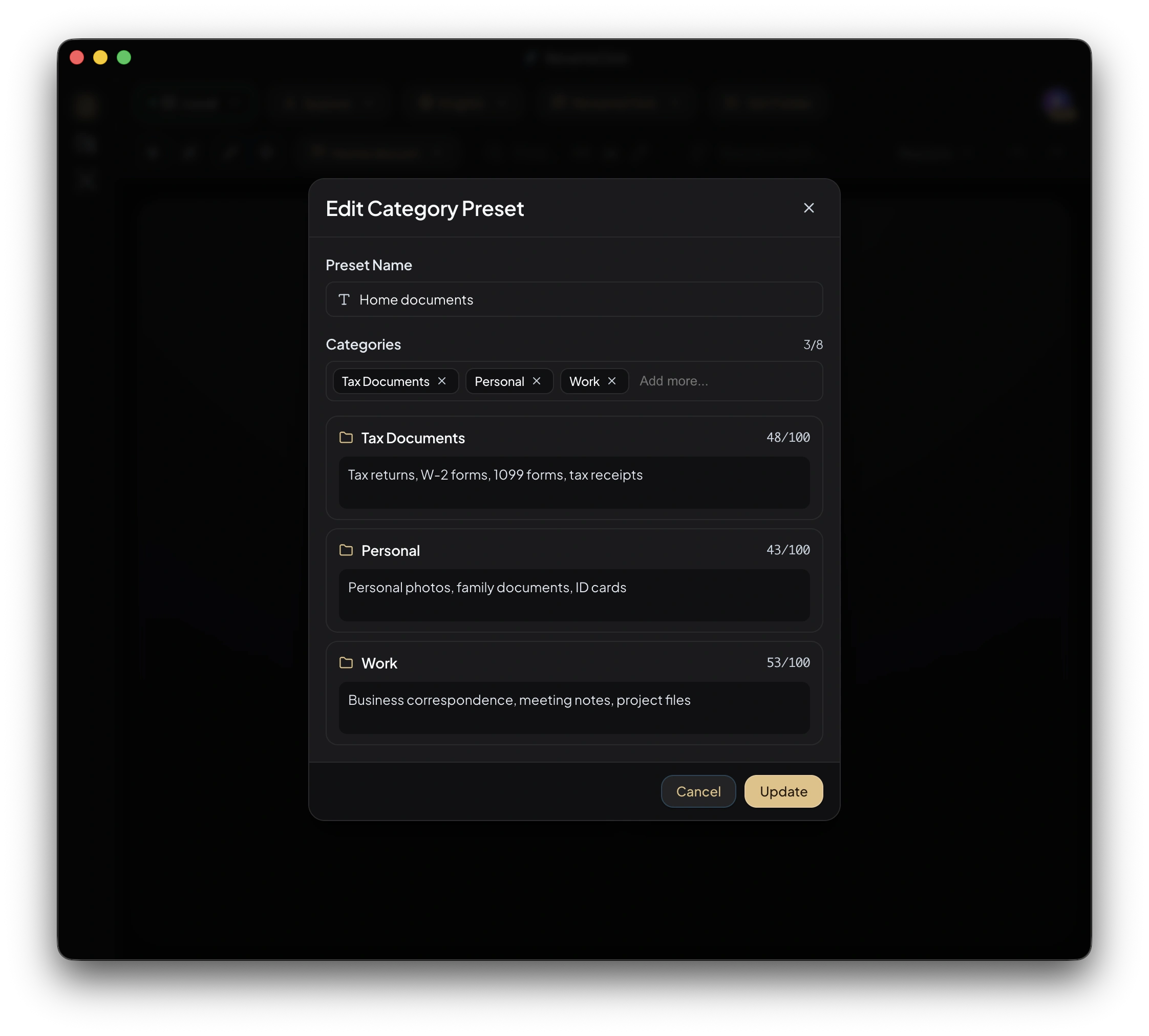
Choose the built-in Documents preset or create AI Categories with names and short descriptions. Explain how similar choices differ. There is no required number of categories; include the destinations you actually use.
Continue an existing client archive
Match Folders uses up to 50 existing top-level destination folders as choices. It works best when folder names can be connected to the document’s content. It does not inspect your entire archive to learn an internal naming code.
Decide whether names should change
Turn on Categorize only to move documents without renaming them. Enable Rename as well for descriptions or a specific filename structure. Naming instructions and categorization are independent: an invoice naming prompt does not decide its folder.
Request fields without guessing missing values
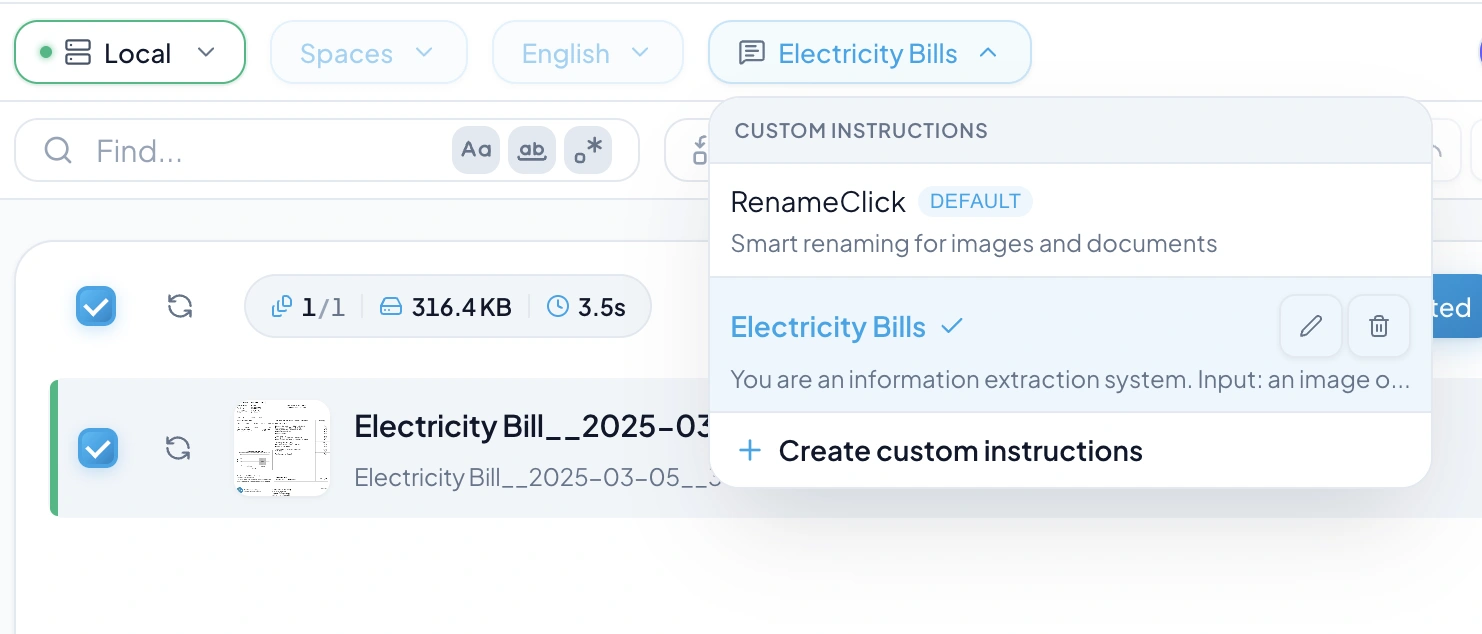
Use Custom Instructions for fields such as supplier, document type, or issue date. Specify the final structure and request a fallback such as UNKNOWN when a field is absent. Check whether the model followed those instructions.
For scanned PDFs, analysis uses the first page. Long extracted text is trimmed. A field outside that content may not be available.
Inspect the move before applying
Check the proposed destination and deselect uncertain files. With a separate output folder, uncategorized files are applied at its root. After applying, use Rename workspace Undo while its current in-memory history is available; restarting clears that history.
Choose local or cloud analysis
Choose Local for on-device analysis after downloading its model. Optional cloud providers in the direct macOS and Windows builds use your API key and receive content for analysis; their charges are separate. The Mac App Store build excludes cloud providers.
Analysis does not use RenameClick credits. Free includes 100 renames or moves each month. Renaming and moving one file in the same action uses one credit; failed changes use none. Pro removes the apply limit. External API charges are separate.
See the workflow in RenameClick