PDFs and scans
AI PDF Renamer for Scans and Invoices
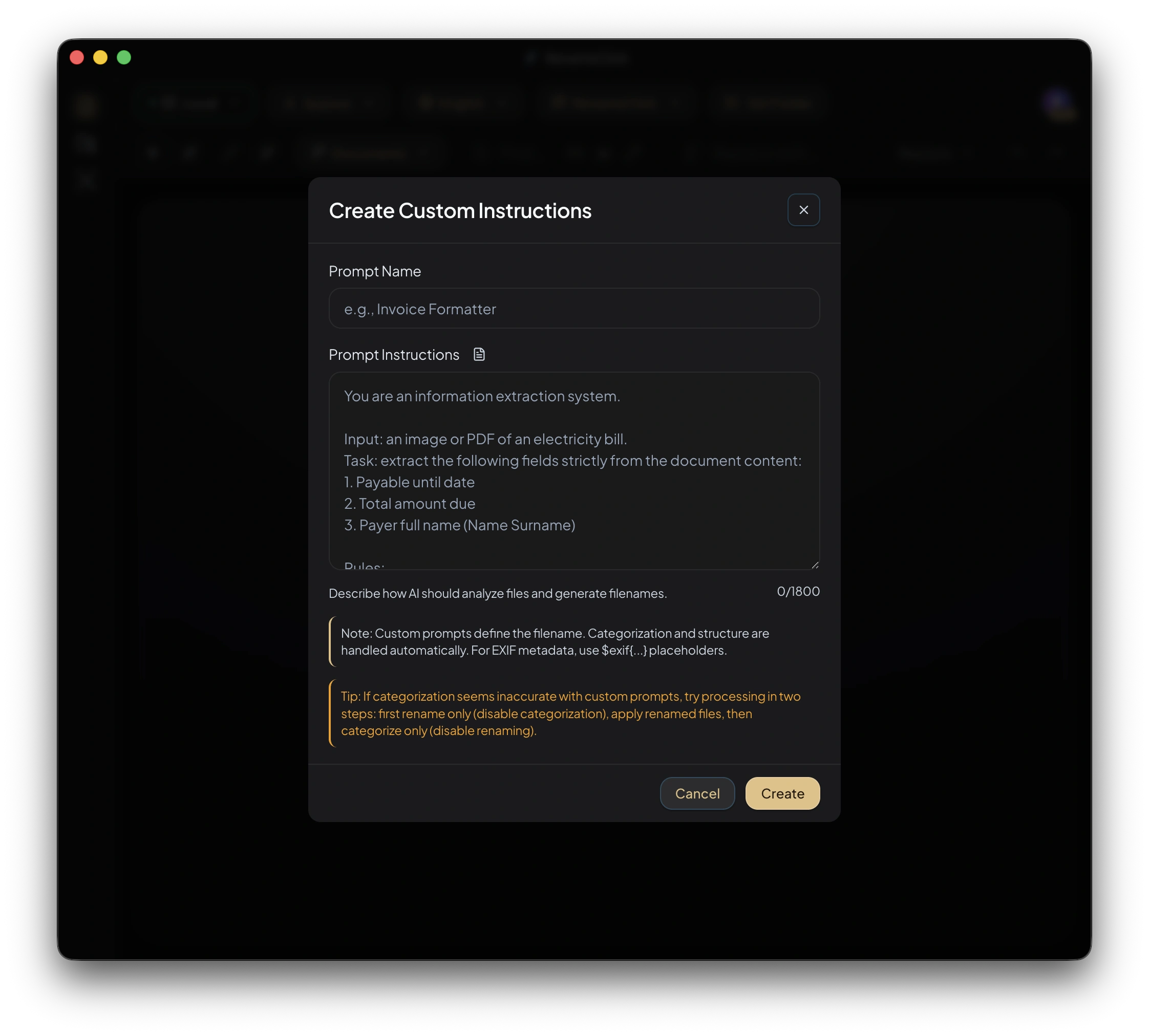
Give PDFs descriptive names or request fields such as supplier, issue date, and invoice number. Check the extracted details before renaming the files.
- Text PDFs and scanned first pages
- Custom naming instructions
- Editable suggestions before apply

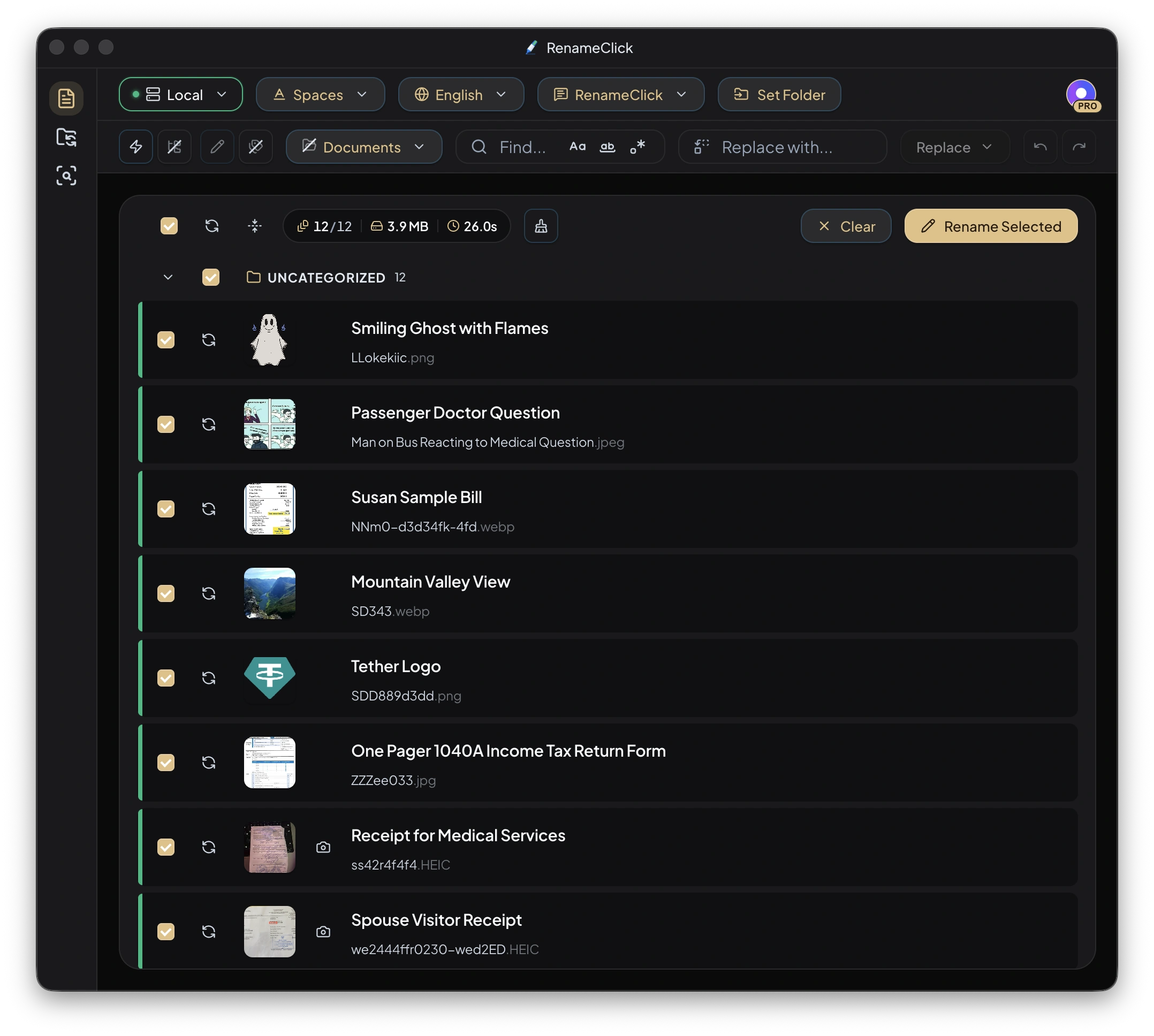
The existing screenshots show suggested names and naming controls. Results depend on the content available in each PDF.
Text PDFs and scans use different inputs
For a PDF with extractable text, RenameClick reads that text and trims long input before analysis. The default text limit is 4,500 characters, with head or head-and-tail selection available in settings.
For a scanned PDF without usable text, RenameClick analyzes the first page visually. It does not OCR every scanned page. A field found only on a later scanned page may be missed.
Name the document or ask for specific fields
The built-in instructions suggest a description. For a supplier/date/number structure, create Custom Instructions. State which date you need, the order of fields, the language, and the separators. Request UNKNOWN for missing or unclear values instead of a guess.
Custom Instructions replace the normal naming prompt. Format and Output Language are disabled, so include those requirements in the instruction itself.
Distinguish the issue date from the file date
The PDF’s creation date can be the day it was exported or downloaded. It is not necessarily the invoice issue date. File-date format tokens use filesystem metadata; a document date must be requested from the available content and checked.
Inspect the proposed names
Add PDFs in the Rename workspace, run analysis, and compare suggestions with the documents. Check supplier names, identifiers, dates, and missing-value markers. Edit a suggestion or deselect a row before clicking Rename Selected.
Scans that are cropped, faint, rotated, or missing a relevant first-page field may produce incomplete or incorrect names. RenameClick does not verify a signature, payment, or accounting status.
Organize PDFs as a separate choice
Enable Categorize to choose folders by content, metadata, or existing folder names. The naming prompt does not control the category. Keep Categorize off if the PDFs should remain where they are.
Processing and pricing
Choose Local for on-device analysis after downloading its model. Optional cloud providers in the direct macOS and Windows builds use your API key and receive content for analysis; their charges are separate. The Mac App Store build excludes cloud providers.
Analysis does not use RenameClick credits. Free includes 100 renames or moves each month. Renaming and moving one file in the same action uses one credit; failed changes use none. Pro removes the apply limit. External API charges are separate.
See the workflow in RenameClick