
Photos and screenshots
AI Photo Renamer for Photos and Screenshots
Give photos and screenshots names based on what is visible. Add capture dates or camera details when the file contains them, and keep useful original IDs.
- Describe visible image content
- Use available EXIF fields
- Preserve the original extension

Check people, places, and object names in the suggestions; AI descriptions can be wrong.
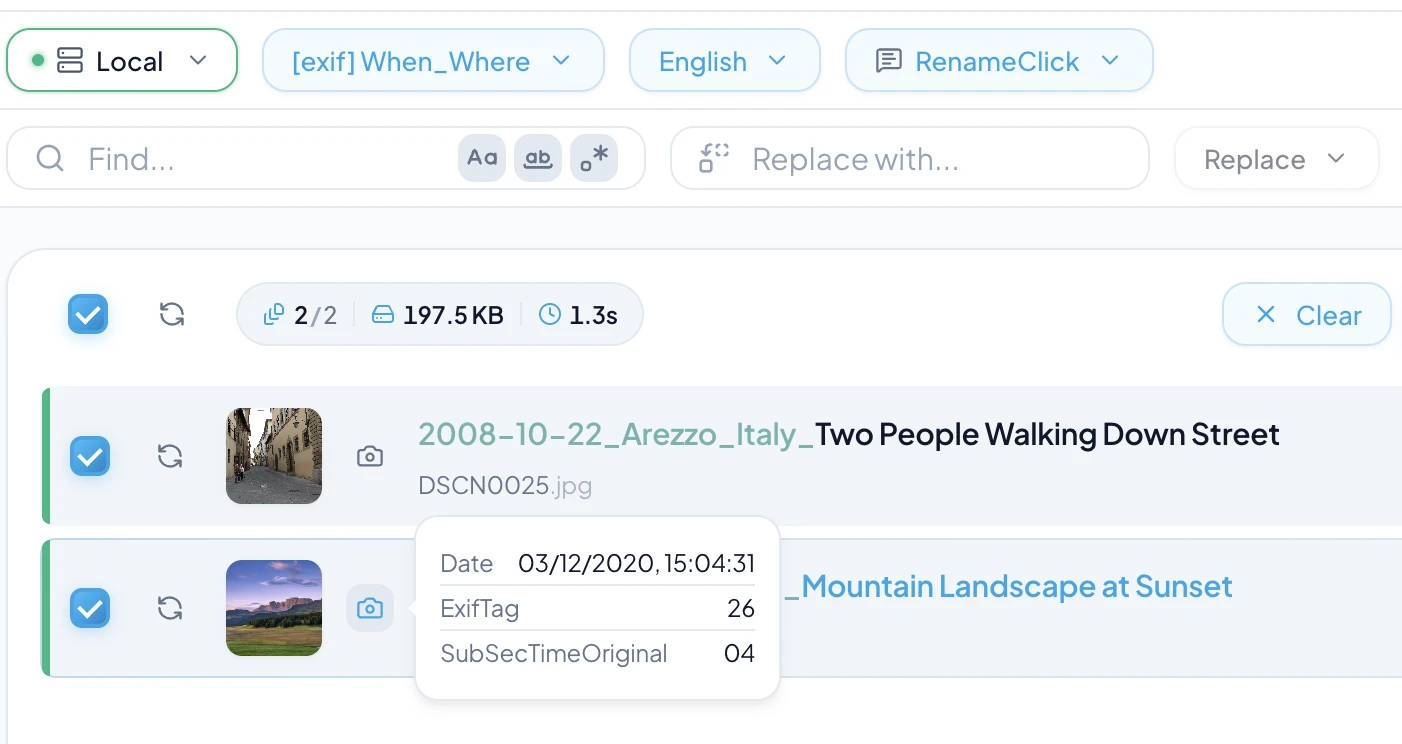
Name what the image shows
RenameClick analyzes the image and suggests a description. That can make a camera filename or screenshot easier to recognize in a folder. It does not identify people or prove where an image was taken.
Use EXIF separately from the description
EXIF may contain the camera’s capture date, model, lens, or GPS coordinates. A screenshot or exported copy may lack these values. Missing EXIF is not filled by guessing from the scene. File creation dates are separate from capture dates.
$exif{date,YYYY-MM-DD}_$1Keep camera numbers that matter
A format such as $oldName_$1 keeps the original filename stem and adds the AI description. Use it when an ID links to edits or another catalog. The format does not change the extension or edit image pixels.
Choose the final style
Select Spaces for readable desktop names or Slug Case for lowercase words with hyphens. $slugcase{$1} also works in a custom format. $lower{$1} changes case only and leaves spaces. Custom Instructions define their own structure and language, so the usual Format and Output Language controls are disabled in that mode.
Rename, then organize if needed
Add selected images to Rename, check the proposed names, and click Rename Selected. For date or camera folders, enable Categorize and select Metadata Folders. RenameClick does not remove duplicate photos or replace a backup.
Processing and cost
Choose Local for on-device analysis after downloading its model. Optional cloud providers in the direct macOS and Windows builds use your API key and receive content for analysis; their charges are separate. The Mac App Store build excludes cloud providers.
Analysis does not use RenameClick credits. Free includes 100 renames or moves each month. Renaming and moving one file in the same action uses one credit; failed changes use none. Pro removes the apply limit. External API charges are separate.