
Spoken recordings
Rename Audio Files by What They Say
Give voice notes, interviews, lectures, and other spoken recordings names based on their topic. Transcription runs locally; choose Local AI to keep naming local too.

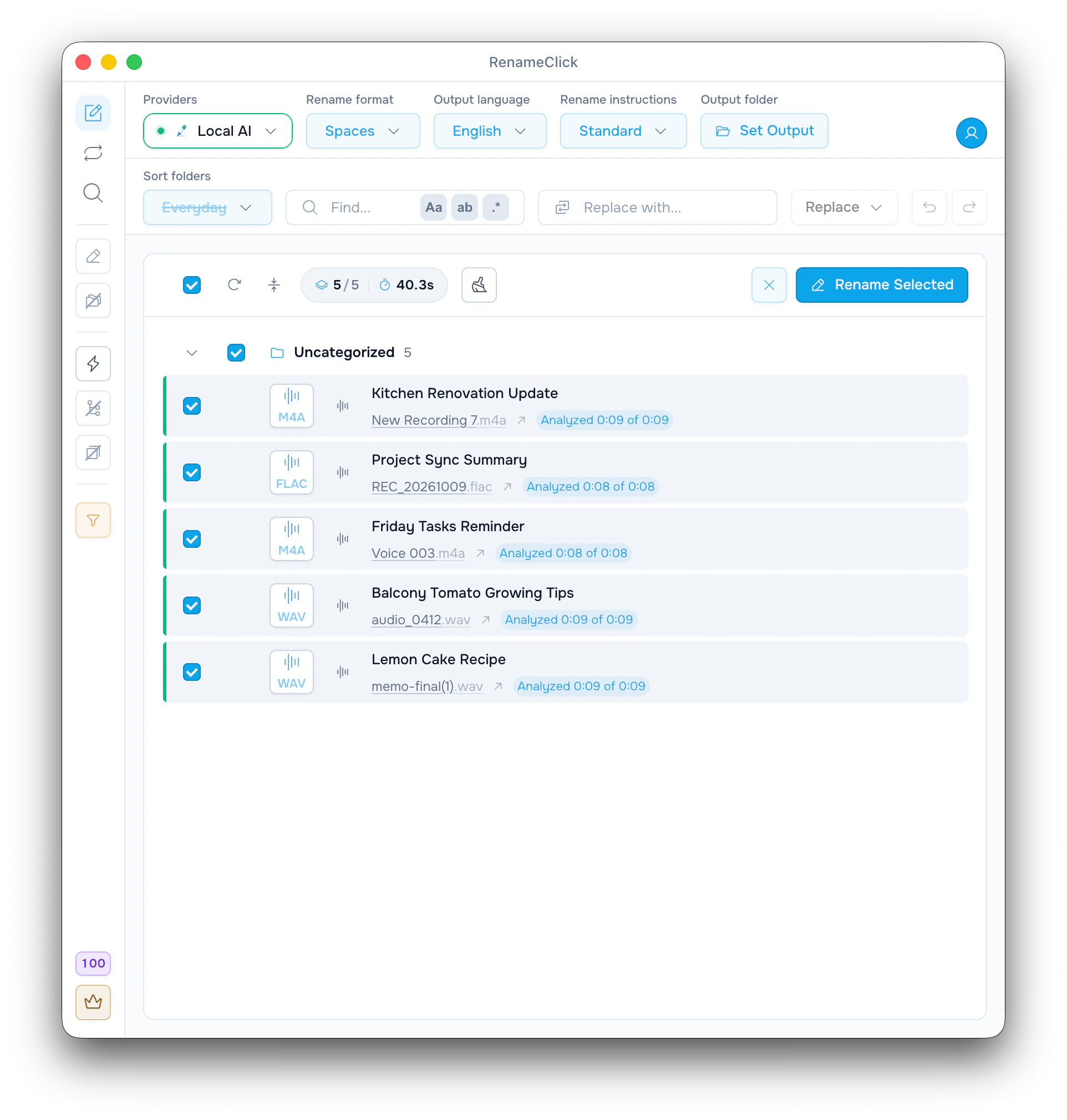
Speech becomes the naming context
Audio Transcription converts speech to text on your computer. The naming model then suggests a filename from that text. Original audio and extensions are preserved. This does not identify songs from music or provide a complete meeting transcript.
MP3, WAV, FLAC, M4A, AAC
Separate Audio Transcription installation
Selectable analysis duration
Useful for spoken recordings
- Voice notes whose filenames are only dates or numbers.
- Interviews and meetings you want to recognize by topic.
- Lectures, podcast drafts, and spoken archives.
Get started
- 1
Install RenameClick Local AI and Audio Transcription in AI & Models.
- 2
Choose Local AI and add supported recordings in Rename.
- 3
Inspect the suggestions and analyzed duration, then rename selected files.
What the audio results show
The screenshot shows proposed names beside the recordings and an analyzed-duration value. Check proper nouns and the topic before applying; the model can misunderstand speech or omit a detail.
Long recordings are sampled
Short recordings are analyzed in full. Longer recordings are sampled across their duration up to the selected limit. The default is five minutes, with options from 30 seconds to 10 minutes. Sampling can miss a brief important passage.
Choose a name style
Use Rename format and Output language with the built-in instructions. For a specific naming rule, select Custom Instructions and include structure and language in that prompt; the ordinary controls are disabled.
Audio metadata tokens can add existing tags, but do not replace speech analysis or identify a song.
Local and cloud naming
Transcription stays local. With Local AI selected and installed, naming also stays on the device. A supported cloud naming provider receives bounded transcript context and has its own API charges.
Analysis does not use RenameClick credits. Free includes 100 renames or moves each month. Renaming and moving one file in the same action uses one credit; failed changes use none. Pro removes the apply limit. External API charges are separate.
Documentation and guide
Check the documented controls and edge cases, or follow the practical setup guide.
Ready to try it on your own files?
On macOS and Windows, the Local provider works offline after its one-time model download. Review suggestions before applying changes.