
On this page
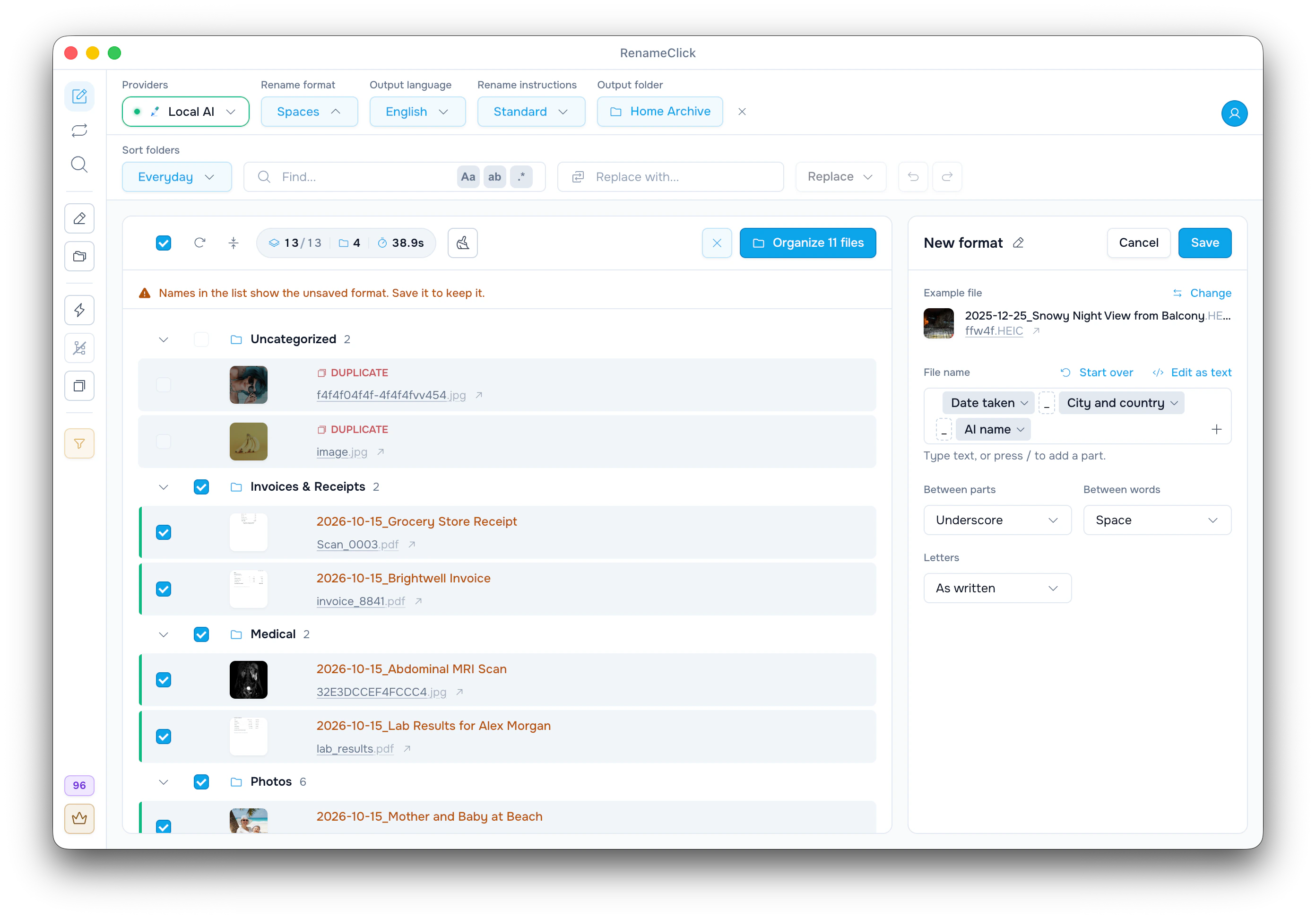
Add a description, keep the ID
A camera number or an export ID can link a file to an edit, an order or a record in another system. A Rename format can keep that ID and add the AI name next to it:
| Original file | Format | New name |
|---|---|---|
| IMG_4521.jpg | $oldName_$1 | IMG_4521_Yellow Tram on a Steep Street.jpg |
| DSC_0042.JPG | $1_$words{old,last} | Red Kayak on a Lake_0042.JPG |
| ORD-58213_front.jpg | $words{old,1; split=/_/}_$1 | ORD-58213_Blue Ceramic Mug Front View.jpg |
$oldName is the original name without its extension, and $1 is the AI name. The AI names here are illustrations.
Keep the whole original name
- Check that Rename instructions shows Standard. Custom Instructions turn the format off.
- In the Rename format menu, choose New format…, then click Use next to AI name and original name. This gives $1_$oldName.
- To put the ID first, click the Original name chip and choose Move earlier.
- While the editor is open, the list shows the new names in amber. Name the format and click Save.
$1_$oldName
$oldName_$1
$1 ($oldName)
For IMG_4521.jpg these give Yellow Tram on a Steep Street_IMG_4521.jpg, IMG_4521_Yellow Tram on a Steep Street.jpg and Yellow Tram on a Steep Street (IMG_4521).jpg. Put the ID first if you sort by it. If old names are long, like Scan 2026-03-14 copy 2, keep only the part you need.
Keep only the number or code
The part menu offers Original name, first word and Original name, last word. For other words, click Edit as text and use $words{old,...}. The original name is split into words at spaces and punctuation, including _, - and dots:
| Original name | Format | Result |
|---|---|---|
| IMG_4521 | $words{old,last} | 4521 |
| DSC_0042 | $words{old,last} | 0042 |
| ORD-58213_front | $words{old,1} | ORD |
| ORD-58213_front | $words{old,1..2; join="-"} | ORD-58213 |
| ORD-58213_front | $words{old,1; split=/_/} | ORD-58213 |
Positions count from 1, last is the final word, and 2..4 is a range; negative positions do not work. A range is joined with a space unless you set join. split=/_/ splits only at underscores, so a code with dashes stays whole.
Leading zeros stay. Punctuation inside an ID splits it, though: INV-2024-0847 is three words, so $words{old,last} gives only 0847.
The word selection reference covers ranges, join and split.
Different name schemes in one batch
A word position that fits one naming scheme can be wrong for another. Add one kind of file at a time, or save one format per scheme.
A missing word is empty, but the separator you typed stays: $1_$words{old,2} on photo.jpg gives Yellow Tram on a Steep Street_.jpg. Look for a trailing or doubled _ in the list before you save. When positions vary, keep the whole $oldName.
A counter is not an ID
$successIndex{01} numbers the files named in this run (01, 02, 03); it does not keep the camera’s number. Add a counter only for a new order on top of the ID: $1_$successIndex{01}_$oldName.
See counters for how $index and $successIndex count.
Check before applying
The Letters setting changes the original name as well as the AI name: lower case turns IMG_4521 into img_4521, and lower-case-with-dashes into img4521. To change only the AI name, write $slugcase{$1}_$oldName as text. It gives yellow-tram-on-a-steep-street_IMG_4521.jpg.
Compare a few new names with the originals, especially leading zeros and dashes inside codes. Then click Rename Selected; Undo reverts the last apply.
See naming convention templates for other kinds of files.