Solution
Downloads Folder Organizer with AI Automation
Clean up and organize Downloads with watch-folder automation that renames, categorizes, and moves new files after they stabilize.

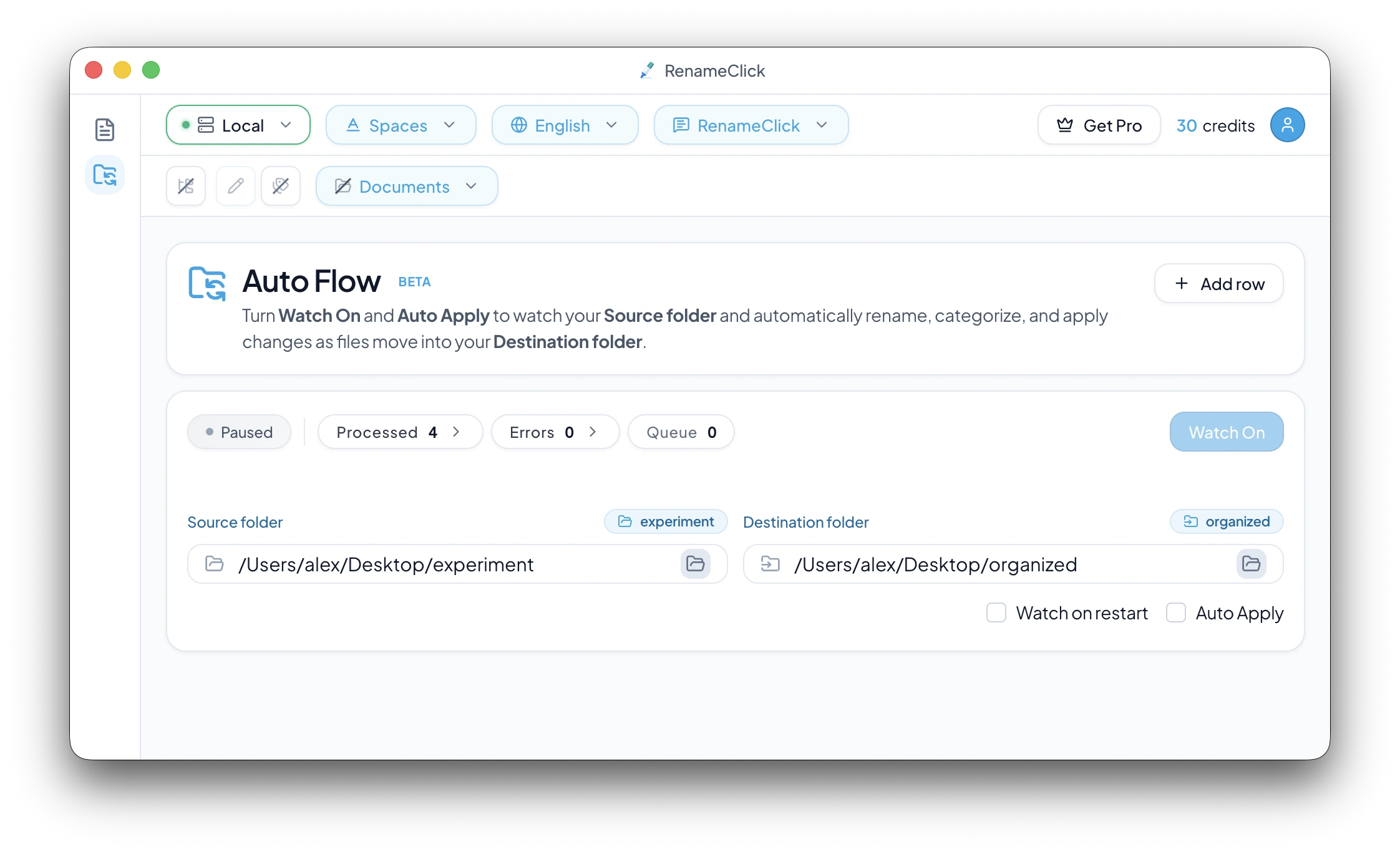
Watches intake folders like Downloads, Scans, and Screenshots.
Renames and categorizes new files with AI as they arrive.
Runs review-first or fully automatic, with undo/redo available after Watch is off.
Automatically organize incoming files by content
- Stop manually sorting browser downloads and email attachments.
- Route incoming scans and screenshots into the right destination folders.
- Turn files like invoice_7643_final.pdf into dated names in an Invoices folder.
How Auto Flow sorts files into folders
- 1
Add a source folder (Downloads) and a destination in Auto Flow.
- 2
Choose rename and category rules, then turn Watch on.
- 3
New files are processed automatically, or held for review before moving.
Documentation and guide
Check the documented controls and edge cases, or follow the practical setup guide.
More solutions
Explore related workflows
Rename Documents and Images by Content
Rename supported documents, scans, screenshots, and images from what they contain. Use the Local provider offline, review every suggestion, then apply selected names.
Audio File Renamer for MP3, WAV, FLAC, M4A, and AAC
Rename spoken-word audio files from what they say. RenameClick transcribes recordings locally, then suggests reviewable filenames on Mac and Windows.
Search Files by Content on Mac and Windows
Find local documents, scans, and images by what they contain instead of exact filenames. AI Search is read-only for rename and move actions.
Ready to try it on your own files?
On macOS and Windows, the Local provider works offline after its one-time model download. Review suggestions before applying changes.