Content-based renaming
Rename Documents and Images by Content
Rename supported documents, scans, screenshots, and images from what they contain. Use the Local provider offline, review every suggestion, then apply selected names.

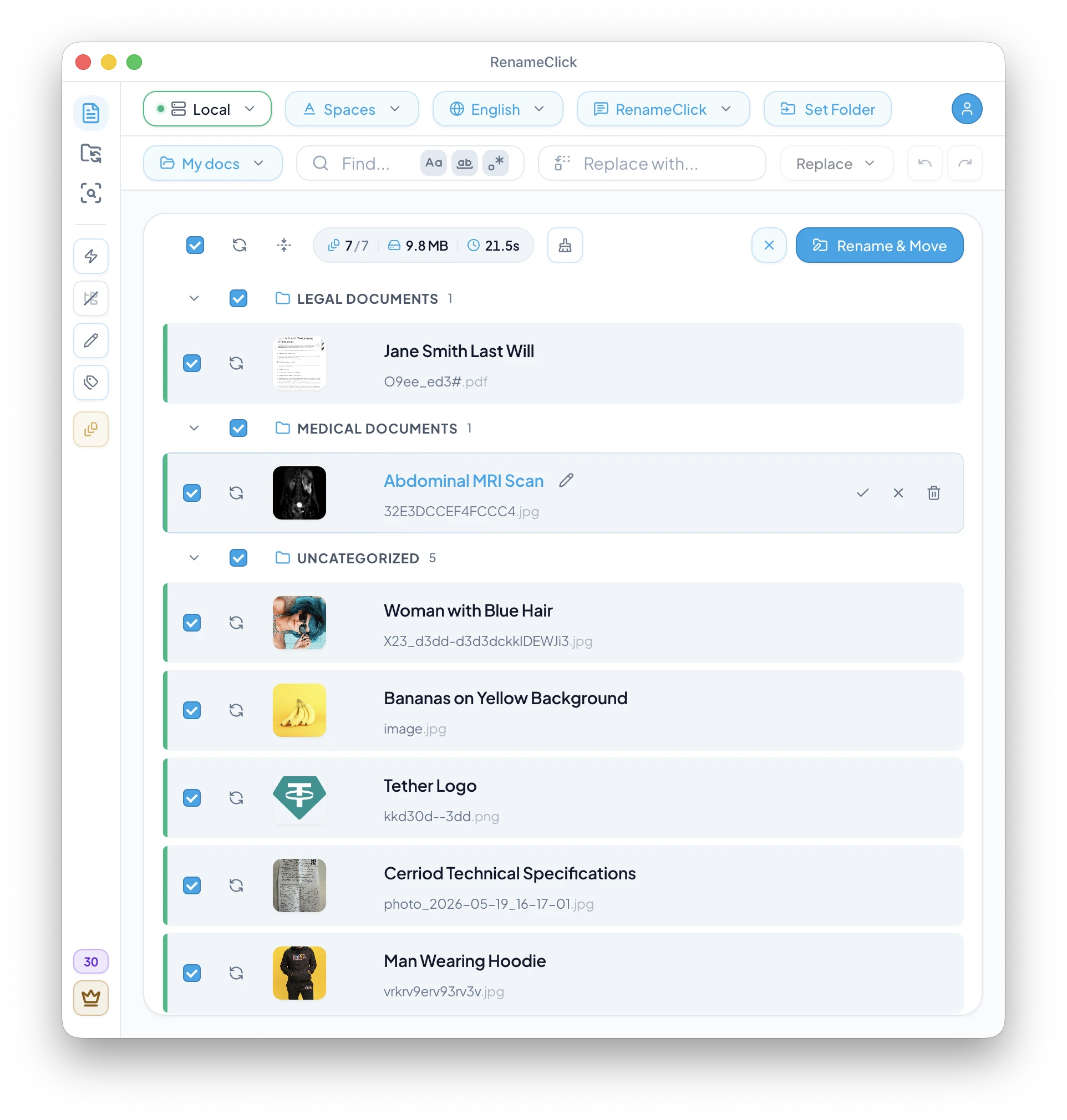
Reads supported document text and visible image content before suggesting names.
Works offline when you select the Local provider after its model download.
Keeps every suggested rename editable until you apply it on disk.
Preserves file extensions, resolves duplicate names, and supports undo after apply.
Best-fit use cases
- Rename scanned PDFs like scan_001.pdf into meaningful document names.
- Turn camera photos and screenshots into readable content-based names.
- Standardize invoices, receipts, contracts, reports, and text exports before archiving.
How the workflow runs
- 1
Drop files or folders into the Rename workspace.
- 2
Select the Local provider for on-device processing or configure another supported provider.
- 3
Review, edit, deselect, retry, or apply only the files you approve.
Documentation and guide
Check the documented controls and edge cases, or follow the practical setup guide.
More solutions
Explore related workflows
Audio File Renamer for MP3, WAV, FLAC, M4A, and AAC
Rename spoken-word audio files from what they say. RenameClick transcribes recordings locally, then suggests reviewable filenames on Mac and Windows.
Search Files by Content on Mac and Windows
Find local documents, scans, and images by what they contain instead of exact filenames. AI Search is read-only for rename and move actions.
Downloads Folder Organizer with AI Automation
Clean up and organize Downloads with watch-folder automation that renames, categorizes, and moves new files after they stabilize.
Ready to try it on your own files?
On macOS and Windows, the Local provider works offline after its one-time model download. Review suggestions before applying changes.