Settings & Local AI Configuration
Understand model context, text limits, category limits, batch limits, provider connections, and diagnostic settings.
Updated Applies to RenameClick 2.15.2
General Settings
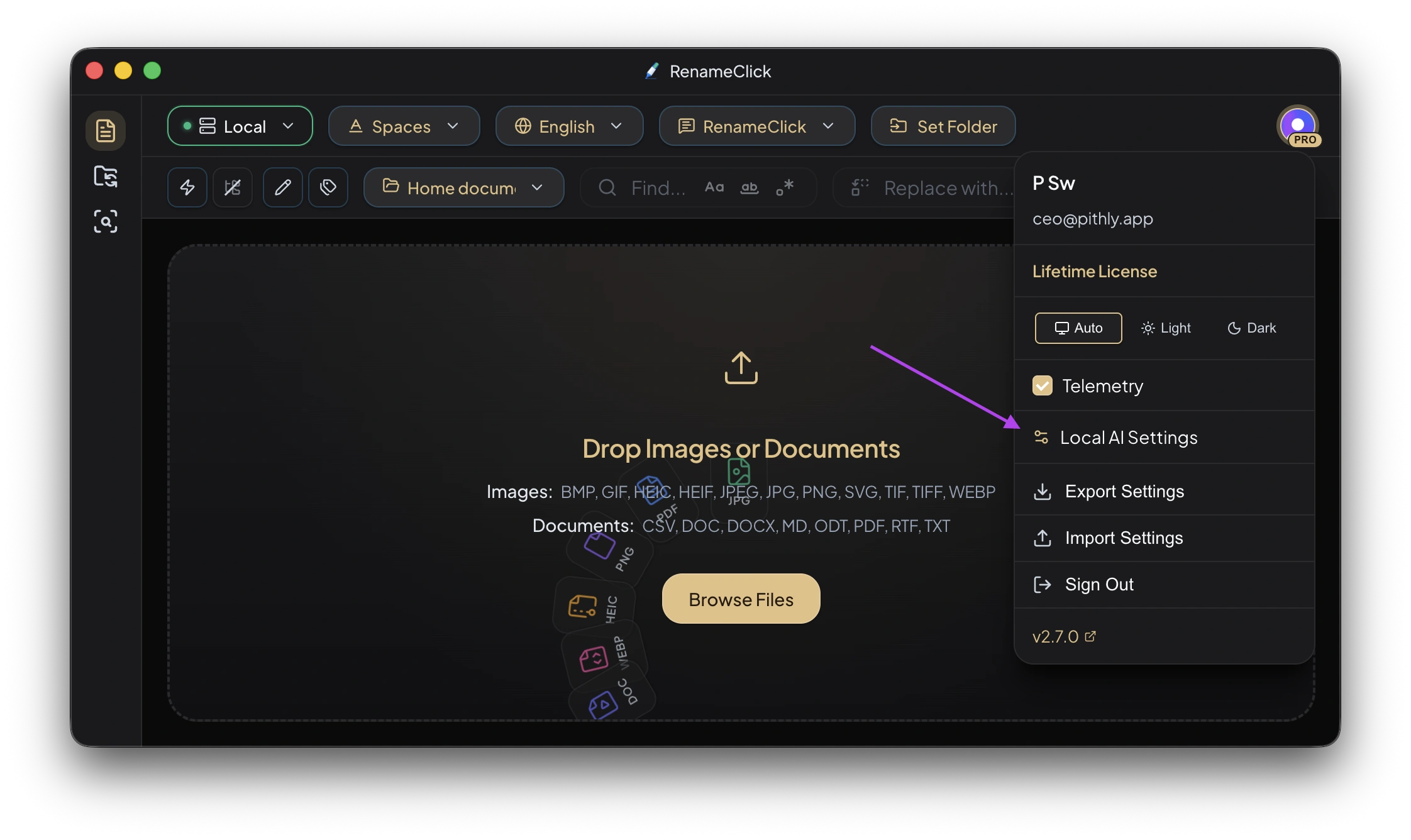
Choose the light or dark theme. Use AI & Models to install capabilities and select a naming provider. Export and import supported preferences through Settings Portability.
Local AI Settings
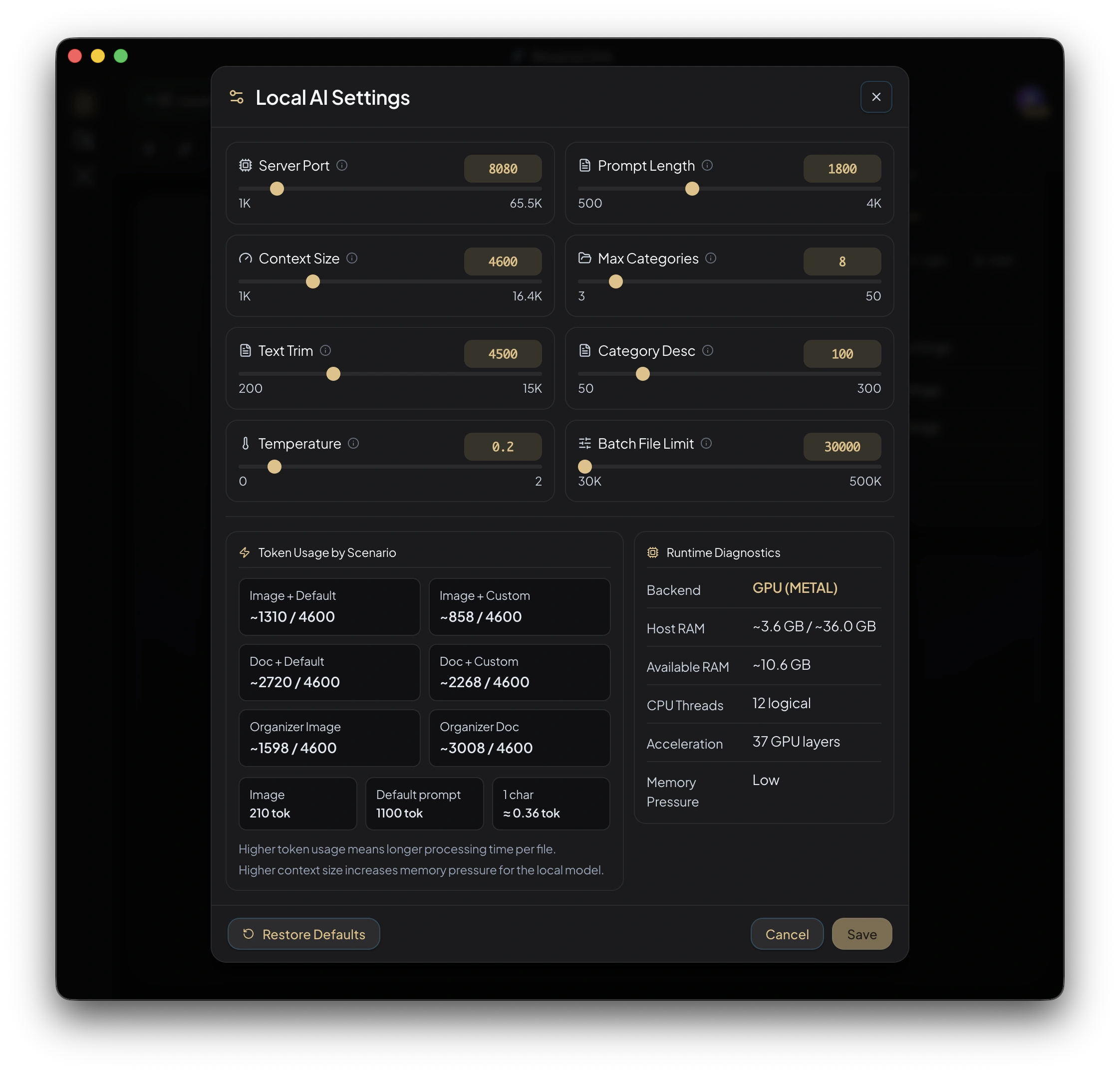
Some limits in this panel affect other providers too. Change a setting to solve a specific problem, then inspect the result; larger values do not automatically improve naming quality.
| Setting | Default or range | What it changes |
|---|---|---|
| Server port | 8080, with a free-port fallback | Address of the built-in model server |
| Context Size | Model context window | Available model context and memory use |
| Temperature | Configurable | Variation in generated output; lower values usually reduce variation |
| Prompt Length Limit | 1,800; range 500–4,000 characters | Maximum saved custom instruction length |
| Text Trim Limit | 4,500 characters | Maximum extracted document text sent for analysis |
| Max Categories Per Preset | 8; range 3–50 | Maximum categories allowed in a custom AI preset |
| Category Description Length Limit | 100; range 50–300 characters | Maximum explanation per category |
| Batch File Limit | 30,000; range 30,000–500,000 files | Intake limit across Rename, Search, and Auto Flow |
Text Selection
Head only uses the beginning of the extracted text. Head + Tail uses the beginning and end. Use the latter if the relevant content occurs near the end, while remembering that the middle is omitted. Neither option validates signatures or ensures every page is analyzed.
Data-heavy text can use smaller effective limits to avoid overflowing the model’s context. Scanned PDFs follow a separate first-page visual path.
Memory and Output
Increasing Context Size can require more RAM or VRAM. A larger window is useful only when relevant input is supplied and fits the model’s capability. If the model fails to load or processing runs out of memory, return to a smaller configuration and check troubleshooting.
Provider Settings
Cloud providers use an API key and supported model selection. LM Studio and Ollama use a base URL and an available model. Each OpenAI-compatible API under Your APIs keeps its own name, API URL, key and model. OpenAI-compatible APIs. A remote server receives the content; a local server must be running before RenameClick can connect. Provider guide.
Audio Settings
Install Audio Transcription separately. Analyze up to offers 30 seconds, 1 minute, 2 minutes, 5 minutes, or 10 minutes; the default is 5 minutes. Short recordings are analyzed in full and longer recordings are sampled. More sampled audio can supply more context but still may miss a brief passage.
Diagnostics and Data
Sentry crash reporting is opt-in and can be changed in settings. Preferences and workspace records are stored locally. Content sent to an optional provider depends on the selected processing setup. License and purchase requests are separate from file analysis. See the Privacy Policy.