If you want to search across all your documents with AI, the real problem is usually not search syntax. It is that your folders are full of weak filenames like scan_001.pdf, Document (4).pdf, or random screenshot names.
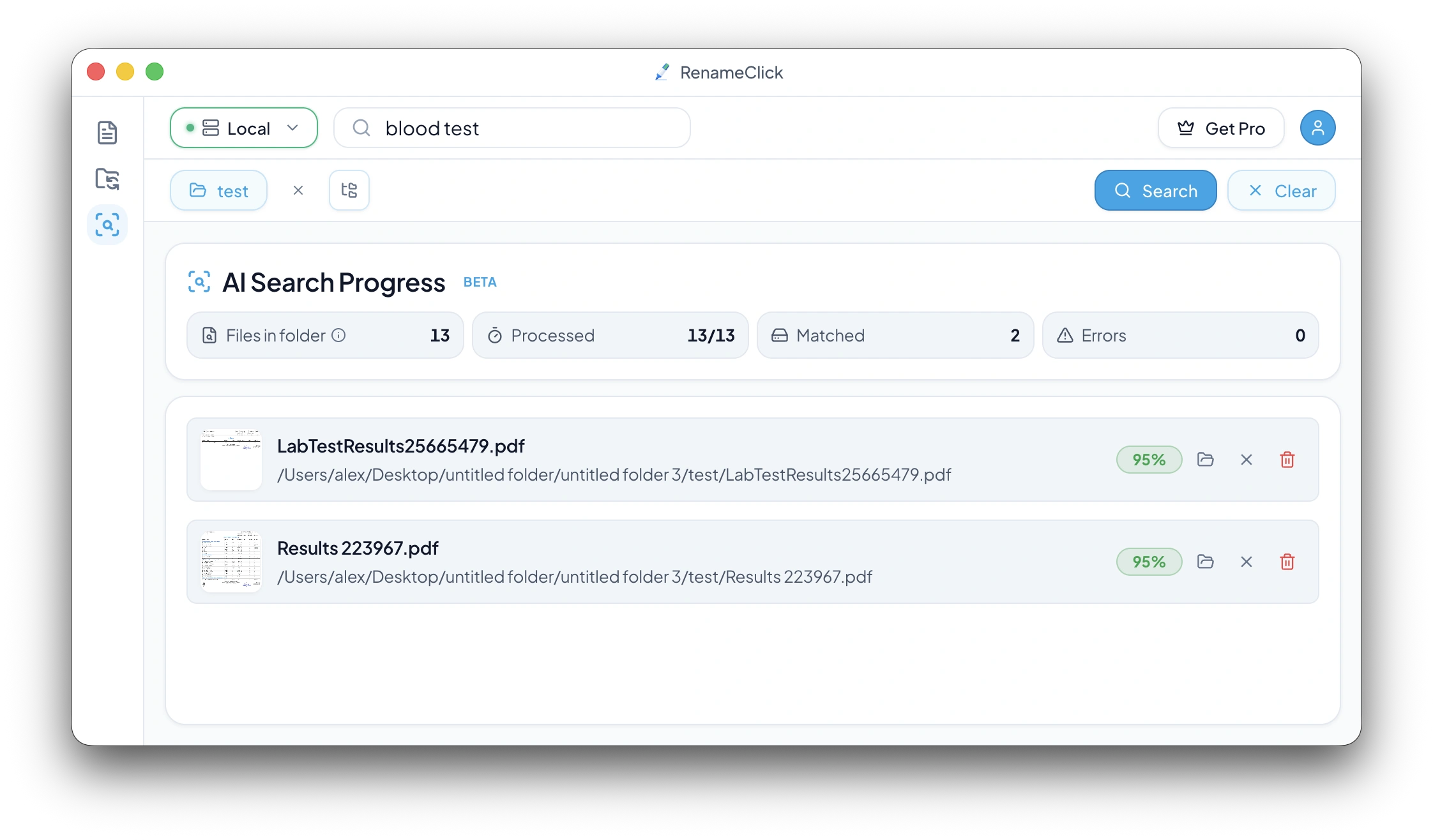
RenameClick solves that with a dedicated AI Search workspace. You point it at a folder, optionally include subfolders, enter a natural-language query, and review matched files without renaming or moving anything on disk.
This article is the exact-match workflow for document-heavy searches: invoices, contracts, medical docs, scans, screenshots, and mixed workspaces where filenames are unreliable.
Key takeaways
- AI Search works well for invoices, contracts, medical docs, scans, and screenshots.
- Recursive search lets you scan nested folders as one workspace.
- Results are read-only, persistent across restarts, and designed for review first.
- Supported file types and batch limits define how large a workspace can be searched in one pass.
- RenameClick runs local AI by default for privacy-first document discovery.
What does “search across all your documents” mean?
It means searching by meaning, not by filename. Instead of trying to remember whether a contract is called signed-final-v2.pdf or scan_4831.pdf, you search for the actual intent: “signed NDA,” “invoice from Amazon,” or “blood test results.”
This works best when your files come from scanners, email exports, client portals, and shared drives, where naming was never clean in the first place.
Which folders benefit most from workspace search?
Workspace search is most valuable where one folder contains many document types and weak filenames. Typical examples:
- Invoices, receipts, and contracts mixed in one client folder.
- Medical scans, referrals, and lab reports in a personal archive.
- Scans folders full of generic scanner output like scan_001.pdf.
- Screenshots mixed with PDFs and exported reports in Downloads.
Recursive mode matters here because the useful folder shape is often multi-level: for example Documents/Clients or Scans/2026.
The search workflow in RenameClick
- Open the AI Search workspace.
- Enter a natural-language query.
- Select a folder and optionally enable recursive scan.
- Run search and review matched files only.
Search is intentionally conservative: the AI tries to match the main purpose of the file, not every minor keyword mention. That makes results cleaner in large folders.
For the product walkthrough, see the AI Search documentation.
Read-only results, counters, and actions
AI Search is designed for discovery, not direct file mutation. Results are read-only and include three practical follow-up actions:
- Reveal in folder to jump to the file location.
- Exclude to hide a false positive from the current result set.
- Move to trash for obvious junk files.
While search runs, RenameClick shows live counters for files in folder, processed, matched, and errors, so you can see progress without guessing.
Persistence, supported files, and limits
Search state persists across app restarts: query, selected folder, counters, and matched files can all be restored. That makes workspace search practical for repeated review instead of one-off lookup.
Supported file types are documented in Supported File Types. That matters for mixed workspaces because PDFs, scanned PDFs, DOCX files, screenshots, and camera images are processed differently under the hood.
One hard limit also matters: if the selected folder contains more files than the current Batch File Limit (default: 30,000), search is blocked until you raise the limit in Local AI Settings or narrow the folder scope.
For quick product-level answers around pricing, platforms, and general behavior, see the FAQ.
Privacy and provider choices
RenameClick runs local AI by default, which means document search can stay on-device. That is a meaningful advantage for personal archives, legal folders, finance documents, and healthcare scans.
Cloud providers are optional. If you connect one, keep the workflow review-first and start with a small non-sensitive sample before expanding the search scope.
FAQ
Can AI search across all my documents?
Can it search invoices, contracts, medical docs, and scans together?
Will AI Search rename or move files?
Can it search subfolders recursively?
What happens with scanned PDFs?
Does it work offline?
Want to try this workflow?
RenameClick runs offline by default and helps you rename and organize files by content — with a review-first flow.